Autopilot: the work that is already done when you arrive
Anyone searching for an email autopilot usually has the same question: does the AI only draft, or does it actually act, and what stays under my control? The BoxBee answer is deliberately sober. The autopilot acts, but only on the moves that are always the same: classifying, filing, setting marketing aside. Anything that goes out to other people stays with you.
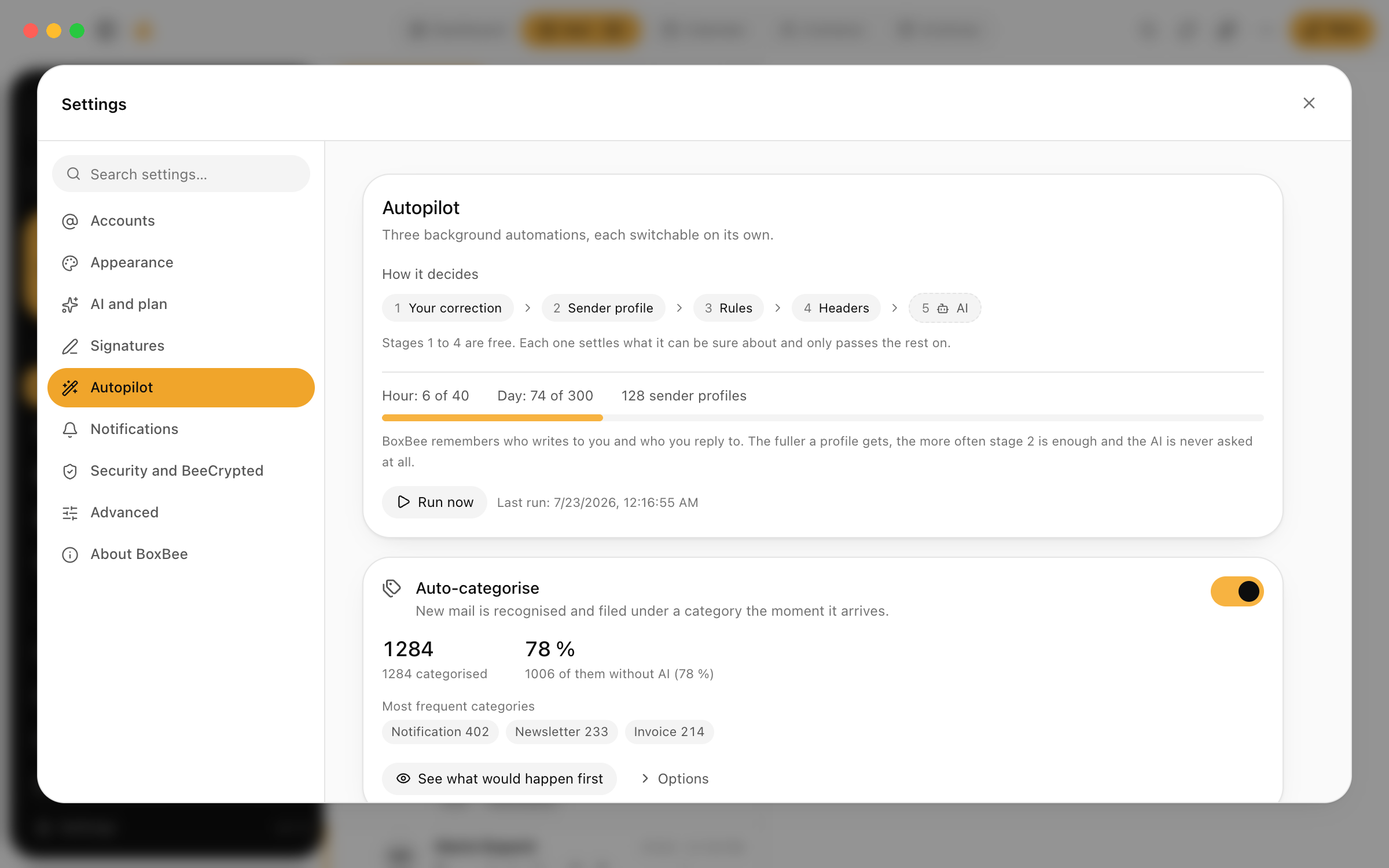
What the autopilot actually takes over
Three jobs, no more. Exactly the three that come up in every mailbox every day and demand no judgement, only diligence.
- Classify: every arriving message gets its kind and its urgency, so invoice, scheduling request, reply in an ongoing matter or marketing, plus an estimate of whether it wants something from you today. That is the foundation the smart inbox sorts on.
- File: whatever clearly belongs to an ongoing matter moves into the right dossier without you touching it. Nobody has to drag the seventh mail about the same building project by hand. Where the connection is not unambiguous, the autopilot files nothing silently and asks instead.
- Quarantine: marketing and bulk mail land in their own area, not in the inbox. Nothing is deleted, you can look in at any time and pull individual senders back out.
Does it only draft, or does it act?
Both, but in cleanly separated places. When tidying up, the autopilot really acts: classification, filing into dossiers and quarantine happen before you open the mailbox. You find the result, not a list of suggestions waiting for your nod.
When it comes to replying, that reverses. Draft replies are a separate feature, and a draft stays a draft until you have read it, adjusted it and sent it yourself. The autopilot sends not a single message in your name. That boundary is not a technical limitation but a design decision: tidying up can be undone, a sent mail cannot.
Trust, in steps
Nobody trusts a new tool on day one, and you do not have to. In the first week you simply watch the autopilot: every one of its decisions is visible in the history, so you see what it put where and why the quarantine contains what it contains.
Where it gets something wrong, you undo the decision with one click, and that is exactly what it learns from. Pull a message out of quarantine and it remembers that for the sender. Correct a filing and the next mail in the same matter lands right. After a few weeks you rarely correct anything, not because you gave up, but because it is rarely needed.
Control and transparency
Control here does not mean one switch labelled "AI on or off" but three sober properties. First: nothing disappears. Even sorted-out marketing sits in quarantine and stays searchable. Second: every decision is visible and individually reversible; there is no silent automation whose result you only notice when something is missing. Third: when it is unsure, the autopilot asks instead of guessing.
Classification is processed with Mistral, a model developed in France, on servers in Europe. Mail content is transmitted transiently for that and is not stored on BoxBee servers.
What the autopilot deliberately does not do
The limits matter as much as the abilities, so they are stated just as plainly.
- It sends nothing and replies to nothing on its own, not even to the seemingly harmless appointment confirmation.
- It deletes nothing, neither marketing nor old messages. Setting aside yes, removing no.
- It files nothing silently into a dossier when the connection is not unambiguous. It asks.
- It makes no decisions about substance. Whether you accept a quote, let a deadline pass or stay loyal to a newsletter is written in no rule and no model.
A day with the autopilot
By seven in the morning the night is already processed: the 11pm newsletters sit in quarantine, the accountant reply from 6:40 sits in its dossier and at the top of the smart inbox, because it names a deadline.
Through the day this continues quietly. Arriving messages are classified while you are in a meeting just as they are while you sit at the screen. In the evening, if you feel like it, you glance into the quarantine, pull out the one sender who does not belong there, and from then on that one sits right too. The autopilot has decided nothing of substance for you. It has made sure that substance is all you still decide about.
Try BoxBee for seven days
Connect an account, let the mailbox load, then decide. No migration, no new provider: BoxBee speaks IMAP and SMTP to the mailbox you already have.
Keep reading
Arriving mail is grouped by kind and urgency before you ever see it.
A draft in the right language and the tone you configured, ready to edit.
A morning summary with the open items pulled out of it.
Proposed times from mail land in the calendar, linked back to the message.