Smart inbox: sorted before you open it
An inbox is a list in order of arrival. That is the worst possible sorting, because arrival order says nothing about importance. The smart inbox lays a second layer over it.
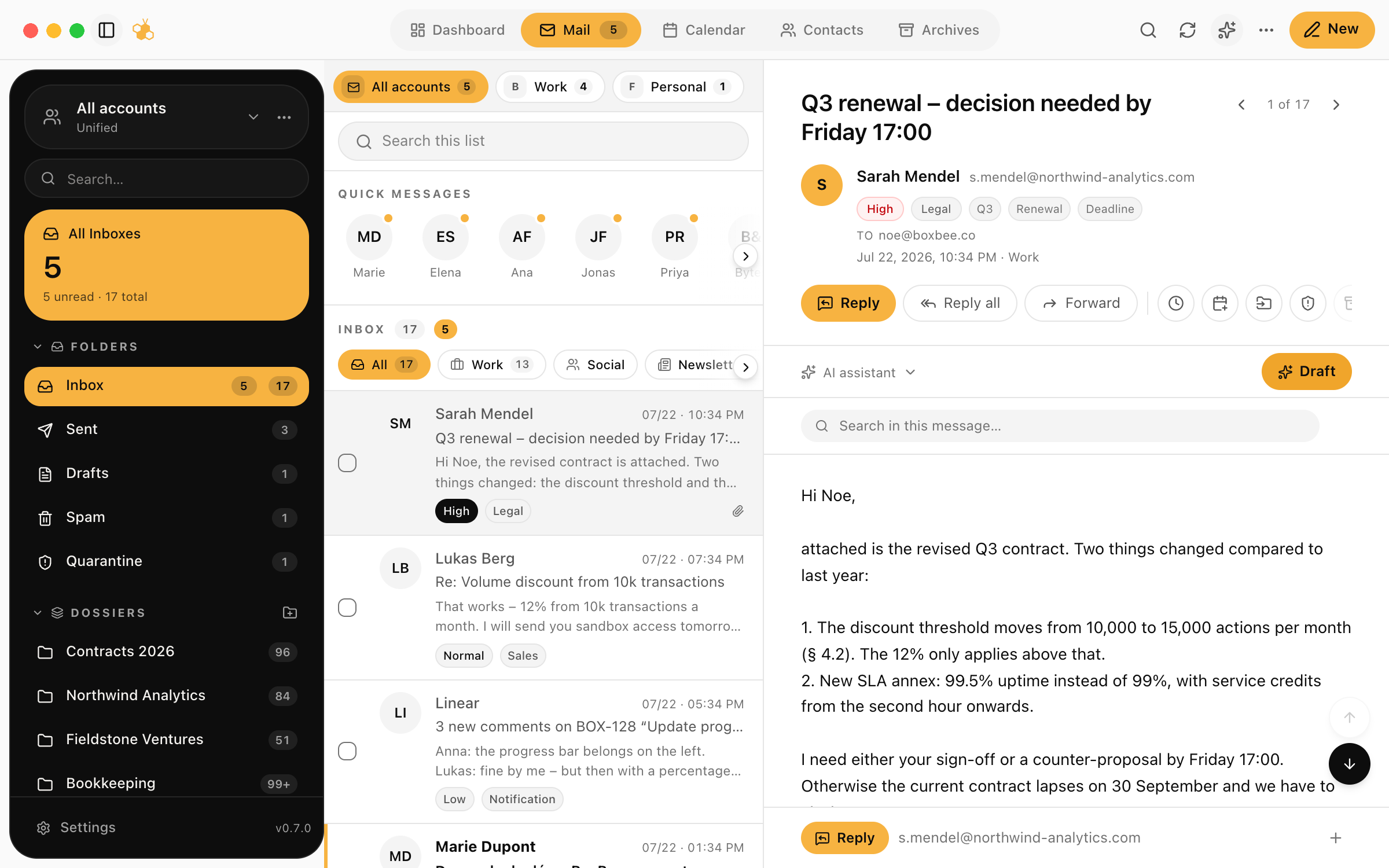
What actually happens
Every arriving message gets a classification: an invoice, a scheduling request, a reply in an ongoing matter, marketing, something personal. On top of that BoxBee estimates whether the message wants something from you today or is only for your information.
That classification is a pre-sort, not a final decision. You still see everything, just not all at once and not all equally loud.
Why this beats folders
Folders and filter rules assume you know in advance what is coming. That is exactly the problem: a rule for your accountant does not help when the mail arrives from their new colleague. Classification in the smart inbox starts from the content, not the sender, and therefore works the first time too.
Where a classification was wrong, you correct it once and BoxBee keeps that for the sender and the kind of message.
Try BoxBee for seven days
Connect an account, let the mailbox load, then decide. No migration, no new provider: BoxBee speaks IMAP and SMTP to the mailbox you already have.
Keep reading
A draft in the right language and the tone you configured, ready to edit.
A morning summary with the open items pulled out of it.
Proposed times from mail land in the calendar, linked back to the message.
Every message, attachment and appointment for one matter, bundled.